Scripttake
Made for iPhone Duo

One films.
One sees everything.

Open your iPhone Duo like a book. You frame and record on the big inner screen. The person on camera reads the script and sees the countdown on the outer one, at the same moment.
Coming to the App Store with iPhone DuoSee how it works
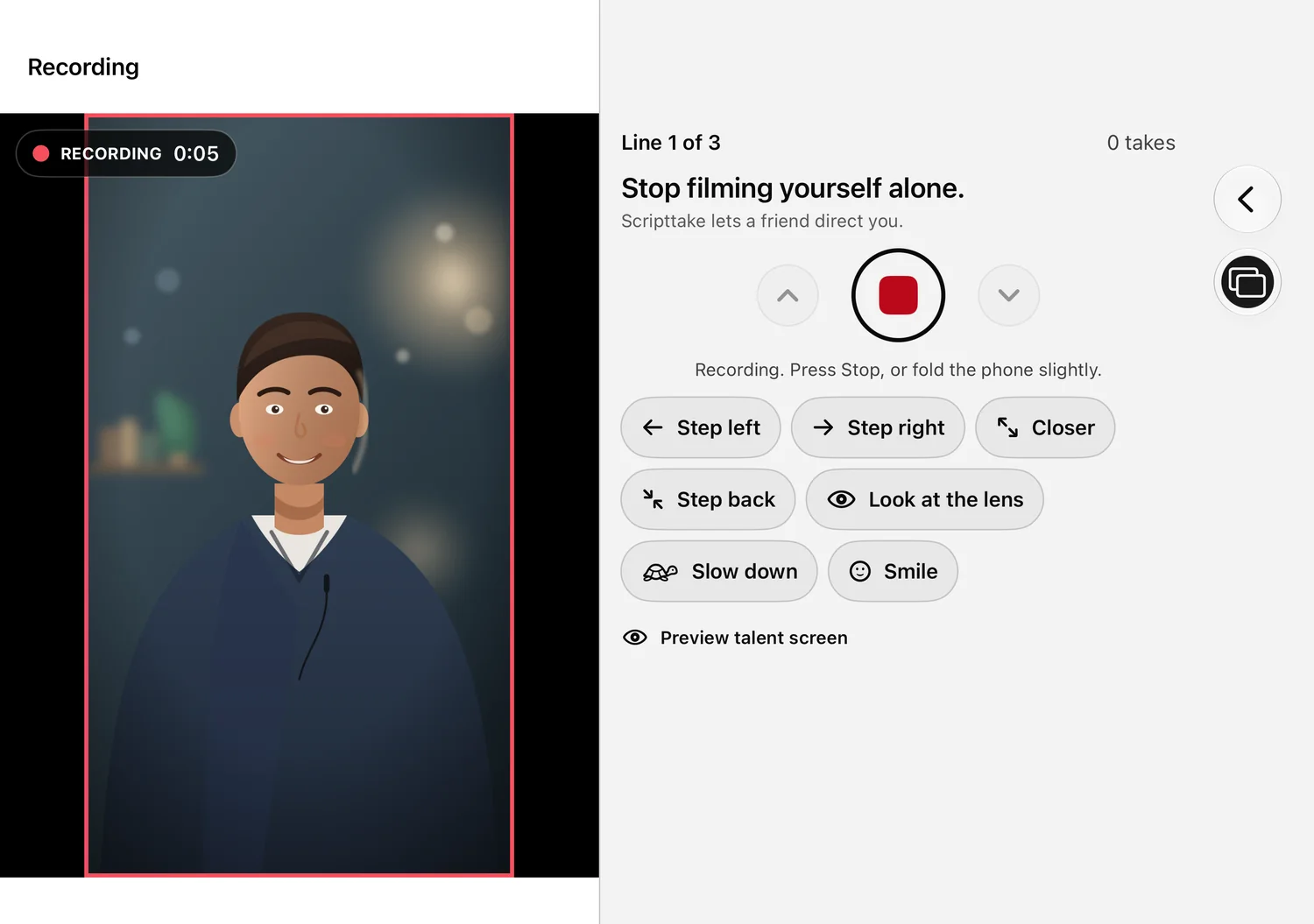
You · inner screen
Scripttake on the inner display of an open iPhone Duo during a take: the live picture with a red frame and timer, the current line, the stop button and the cue buttons.
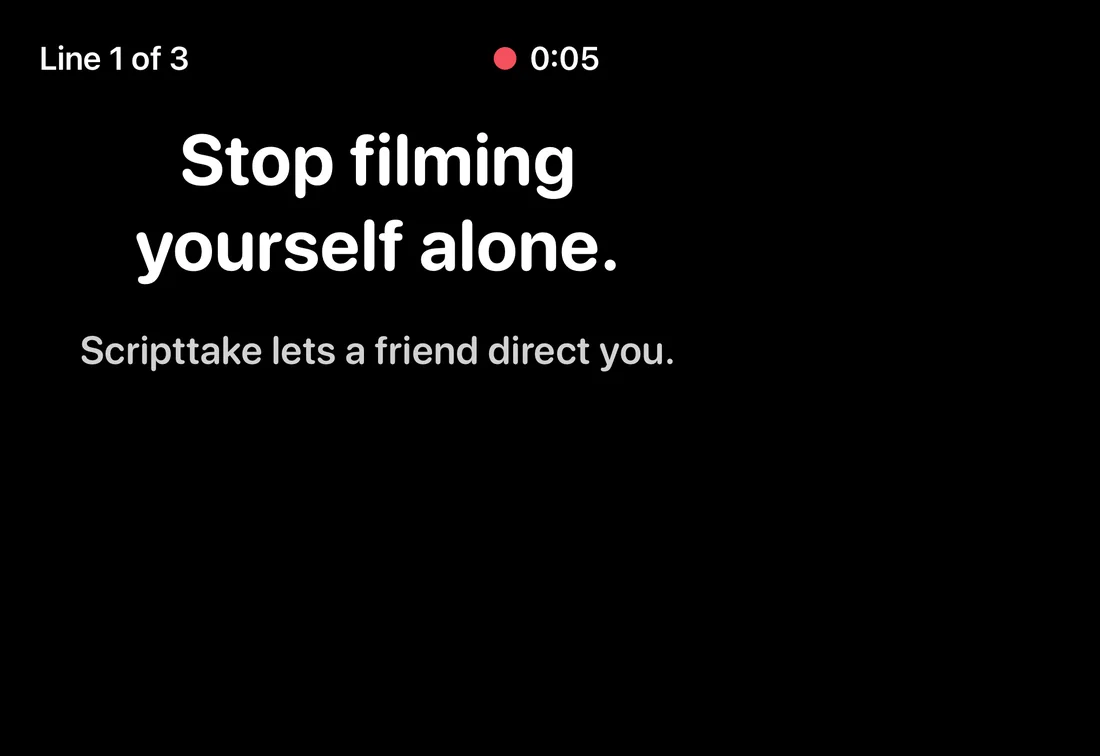
Them · outer screen
Scripttake on the outer display at the same moment: the current line in large type and a running timer.
Every way you hold it

Three ways to shoot

Scripttake follows how you hold the phone.

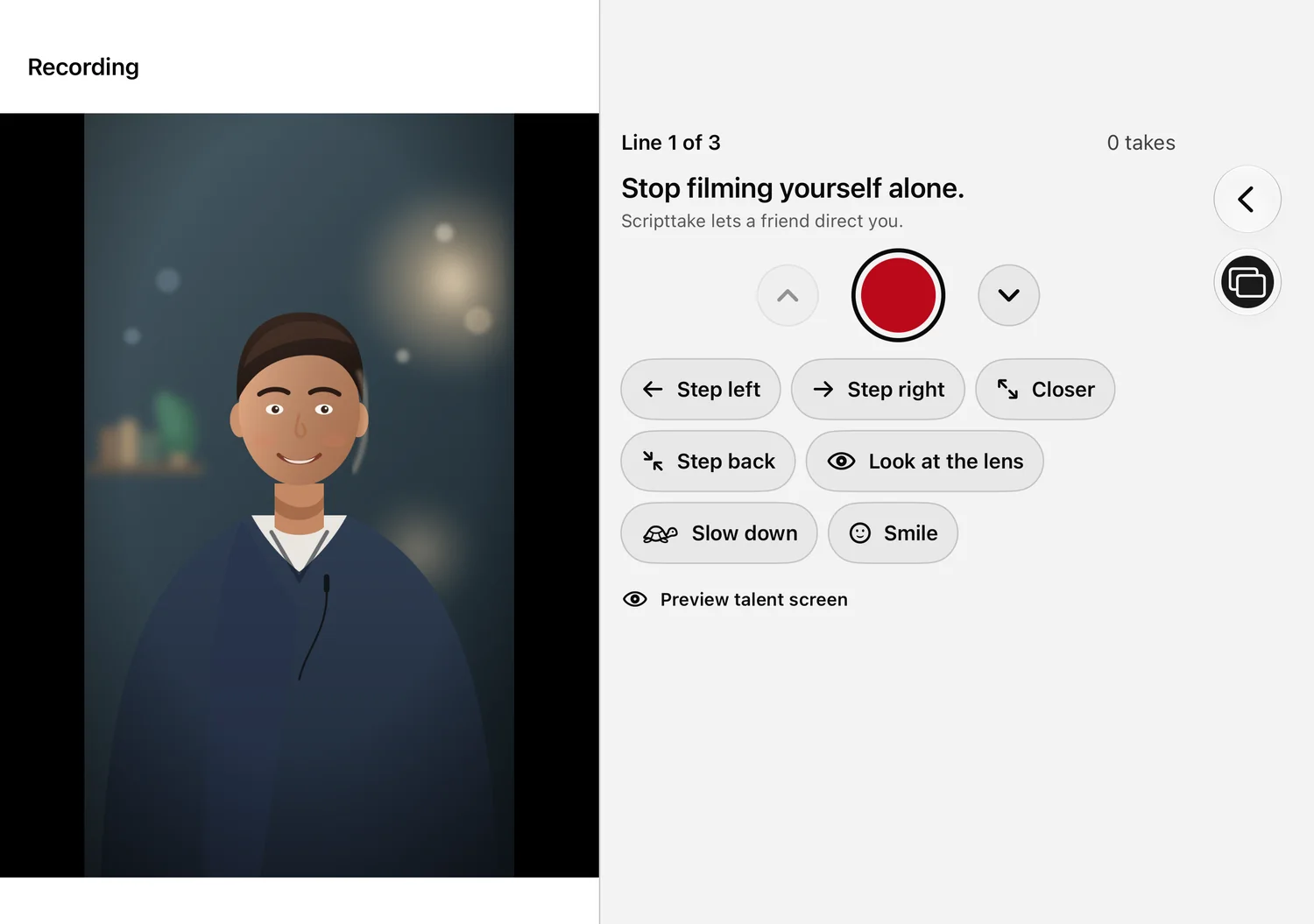
The inner display ready to record: live picture on one side, the line to read, the record button and quick cues on the other.

Open: you direct

Hold the Duo open. The inner screen is your studio: the live picture, safe-zone guides, the record button and your cues, side by side.
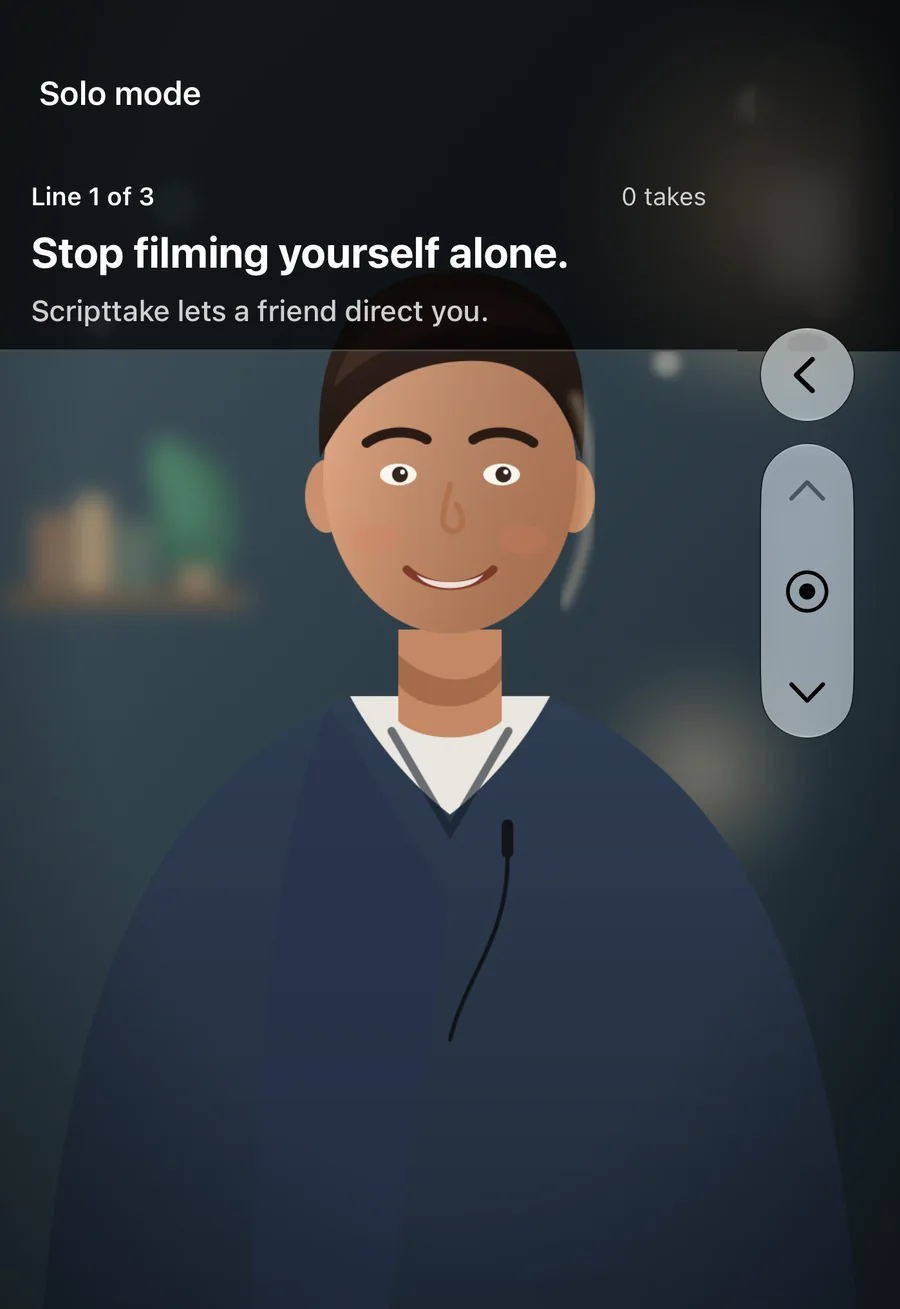
Solo mode on the outer display with the phone closed: the front camera with the script right next to the lens.

Closed: solo mode

Filming yourself? Close the phone. Scripttake switches to the outer screen with the front camera and the script right next to the lens.

Folded a little: stop the take

No button to reach for. Fold the phone slightly to stop a take, so your hands and your eyes stay where they are.

Inner and outer, together

Both screens at the same time

The inner screen carries the controls. The outer screen carries the performance, and nothing on it can be tapped by accident.
The inner screen is yours

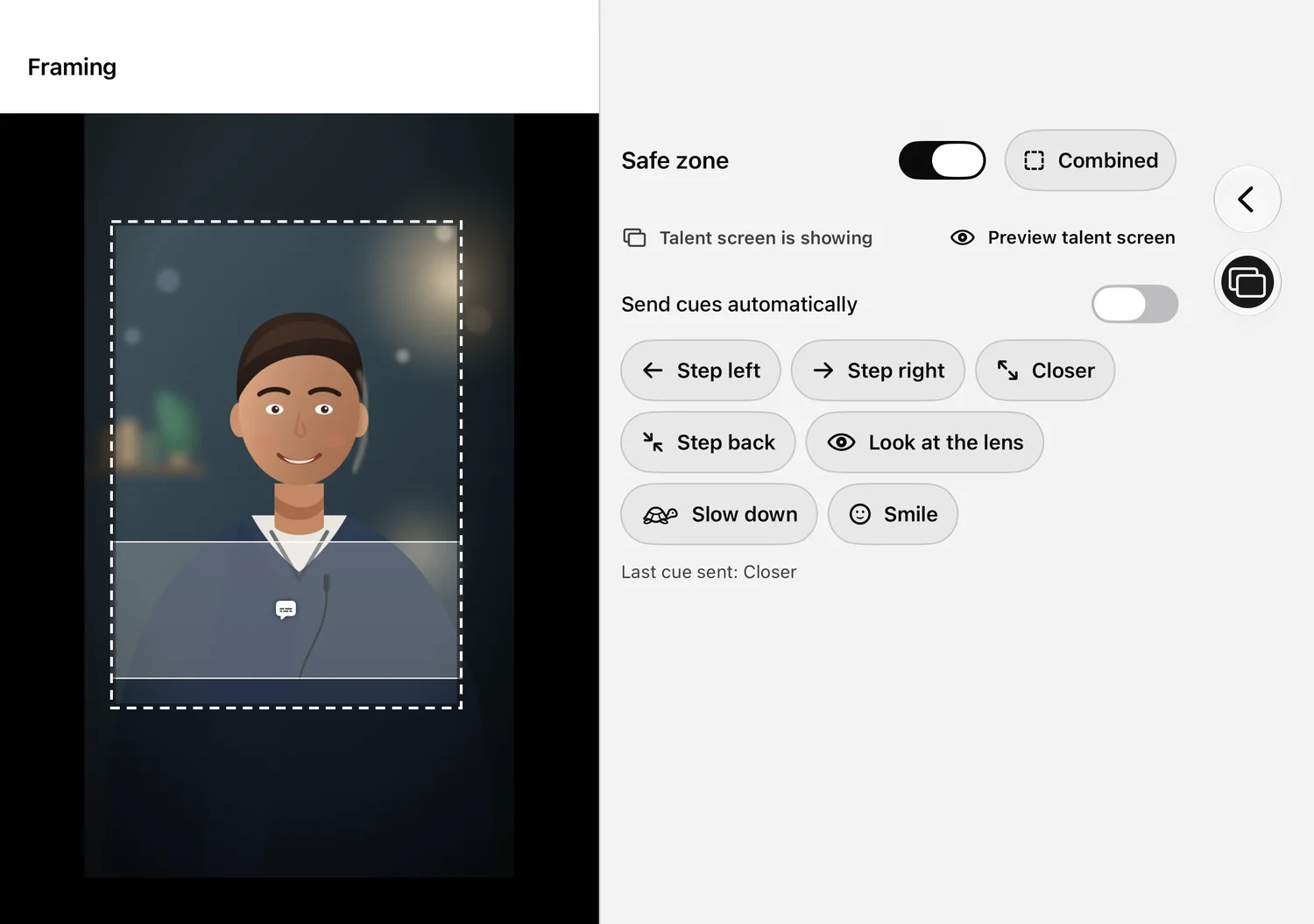
  • Live picture with safe-zone guides
  • Record, stop and move between lines
  • Quick cues, or automatic cues when they drift out of frame
  • A take check the moment each take ends

The outer screen is theirs

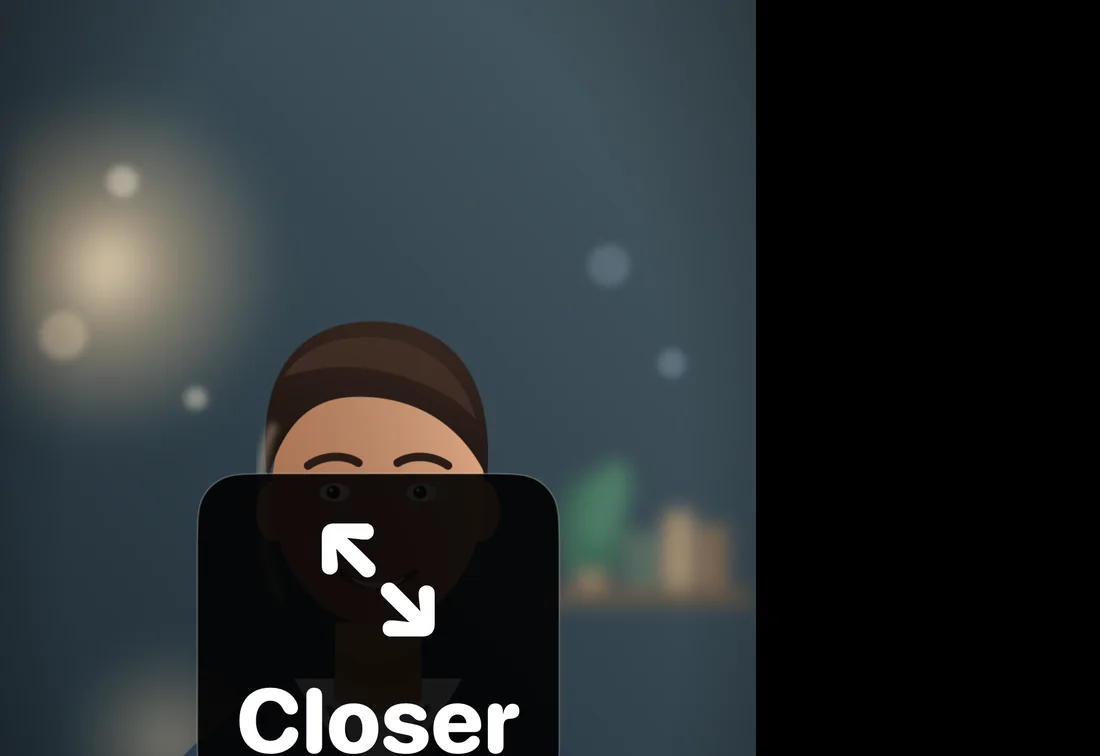
  • The script beside the lens in big type
  • A countdown they can read at arm's length
  • Your cues: Step left, Closer, Smile, Slow down
  • Switch it off from the toolbar whenever you like
Inner · yours
The inner display while framing: the live picture with a dashed safe-zone guide and the caption area marked, the safe-zone options and the cue buttons.
Outer · theirs
The outer display showing the talent the cue Closer in large type.
The whole job

From script to finished video

  1. 1
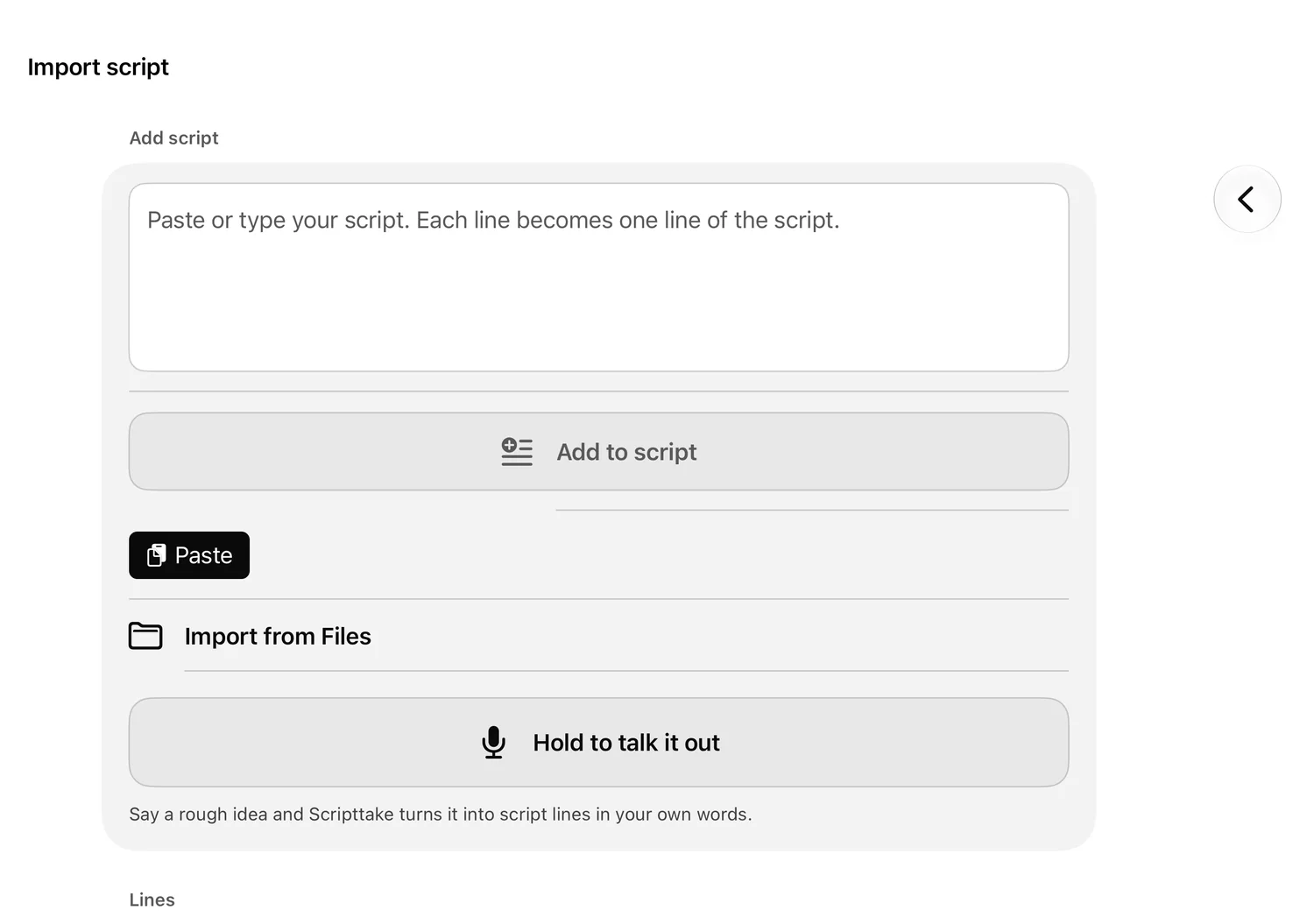
    Importing a script: paste, open a file, or talk it out loud.

    Bring a script

    Paste it, open a file, share it in from another app, or just say it out loud.
  2. 2
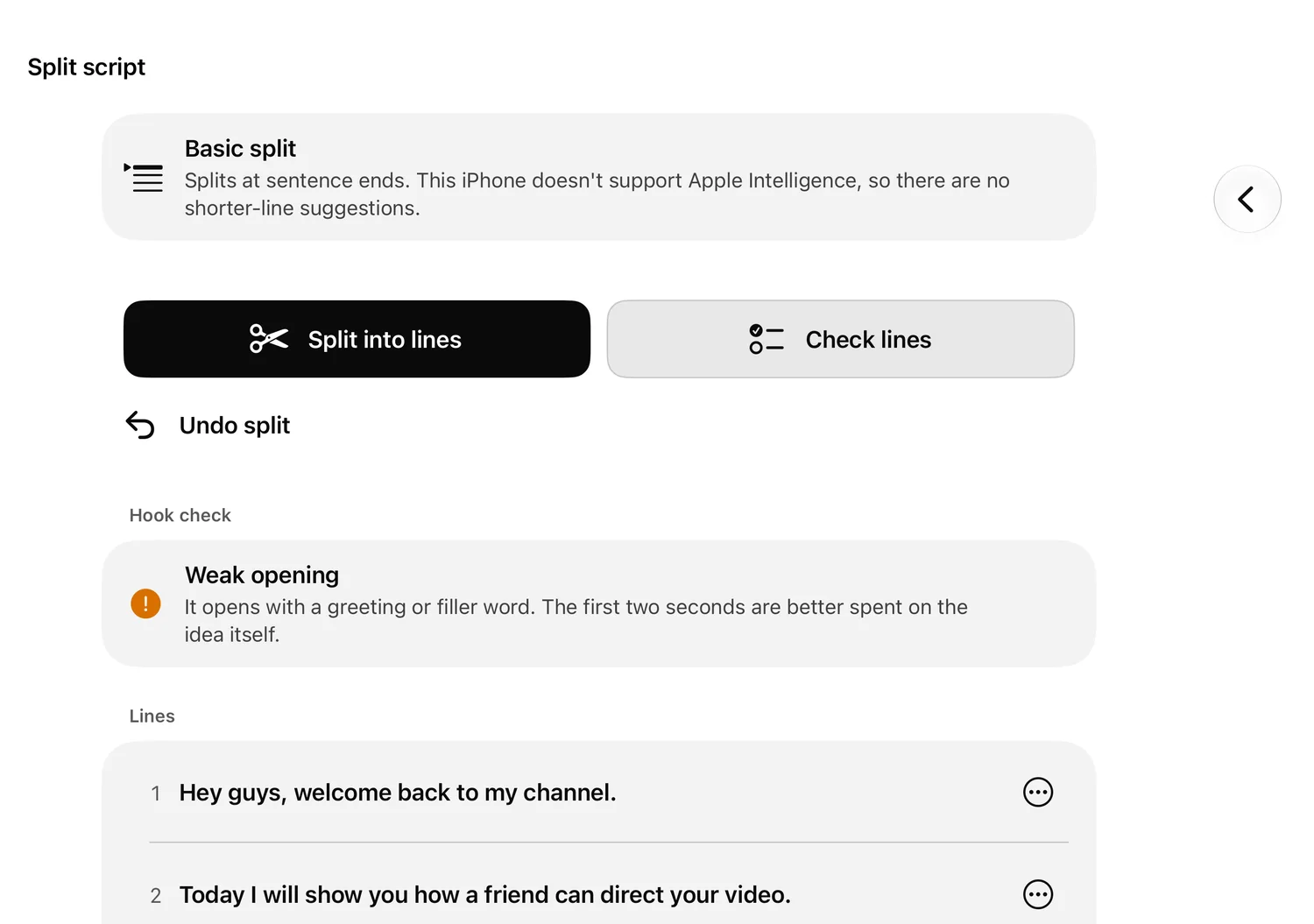
    Splitting a script into short lines, with a check of the opening.

    Split into lines

    Short, one-breath lines for vertical video, and a check of your opening.
  3. 3
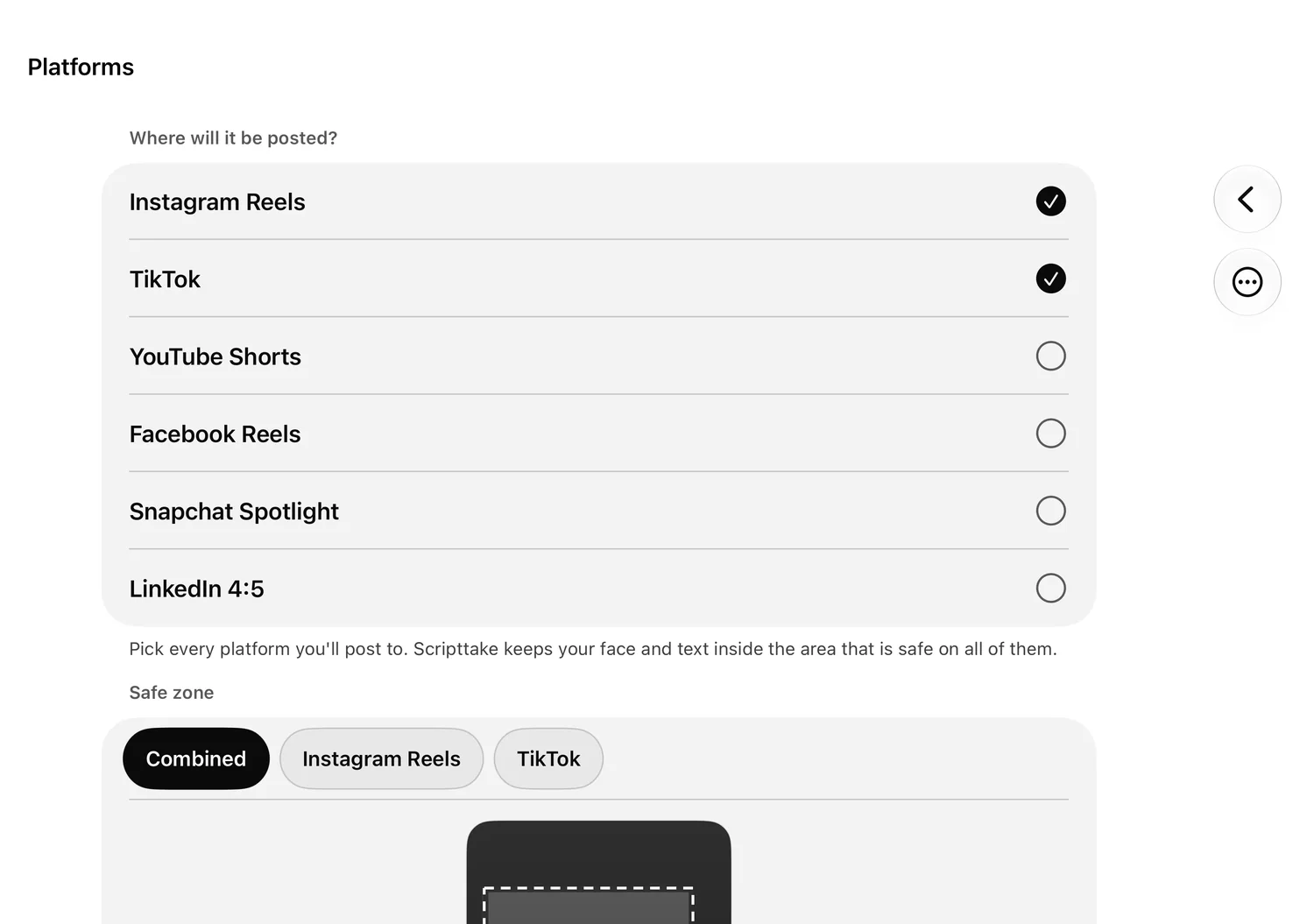
    The platform list with Instagram Reels and TikTok selected and their safe zone.

    Pick platforms

    Your face and captions stay inside the area that is safe on every one.

  4. 4
    Recording line by line: live picture, the line, the record button and cues.

    Record line by line

    One line at a time, with cues for the person on camera.
  5. 5
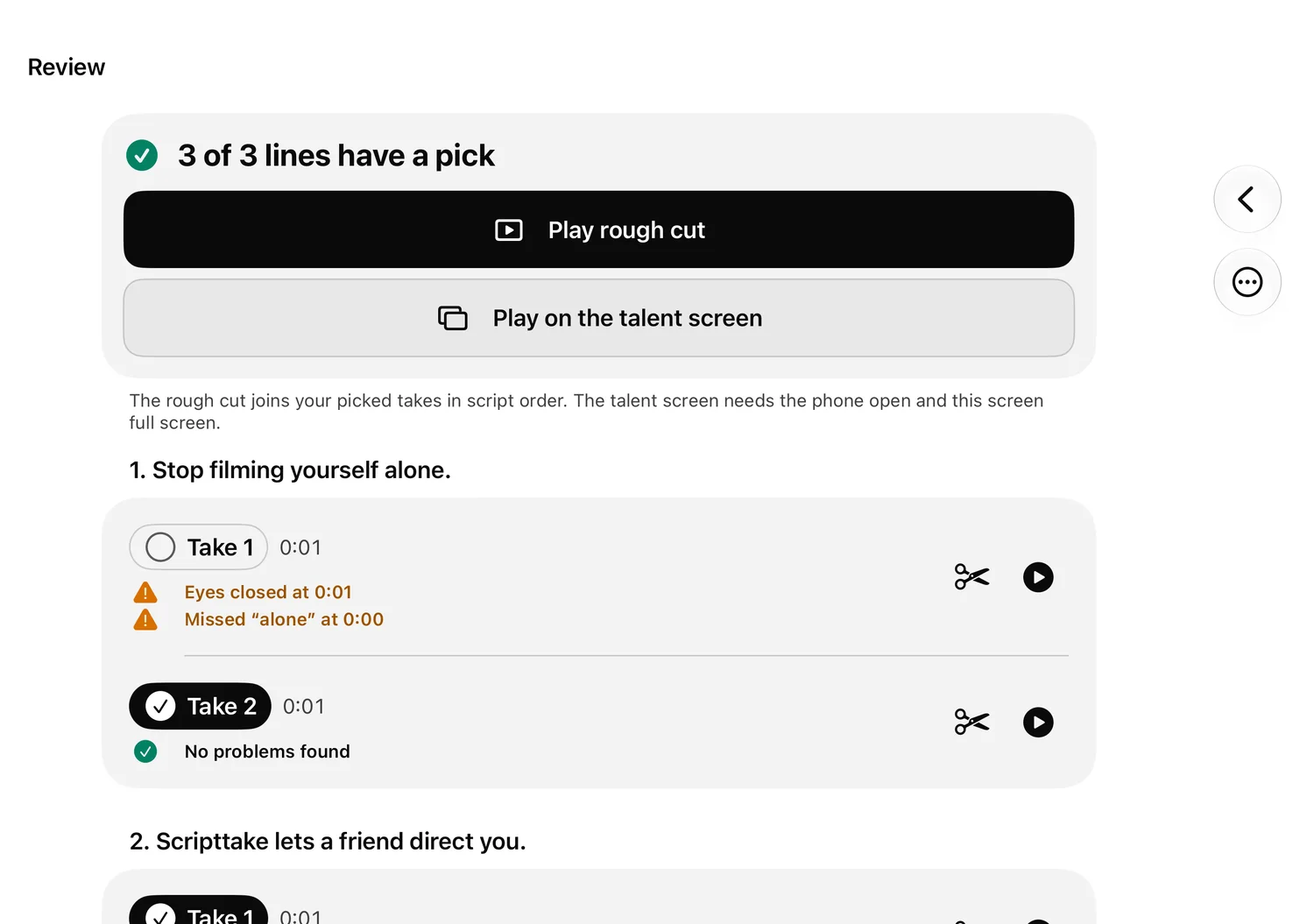
    Reviewing takes: one pick per line, with trim and play buttons.

    Pick the best takes

    One take for each line, trimmed to the part you keep.
  6. 6
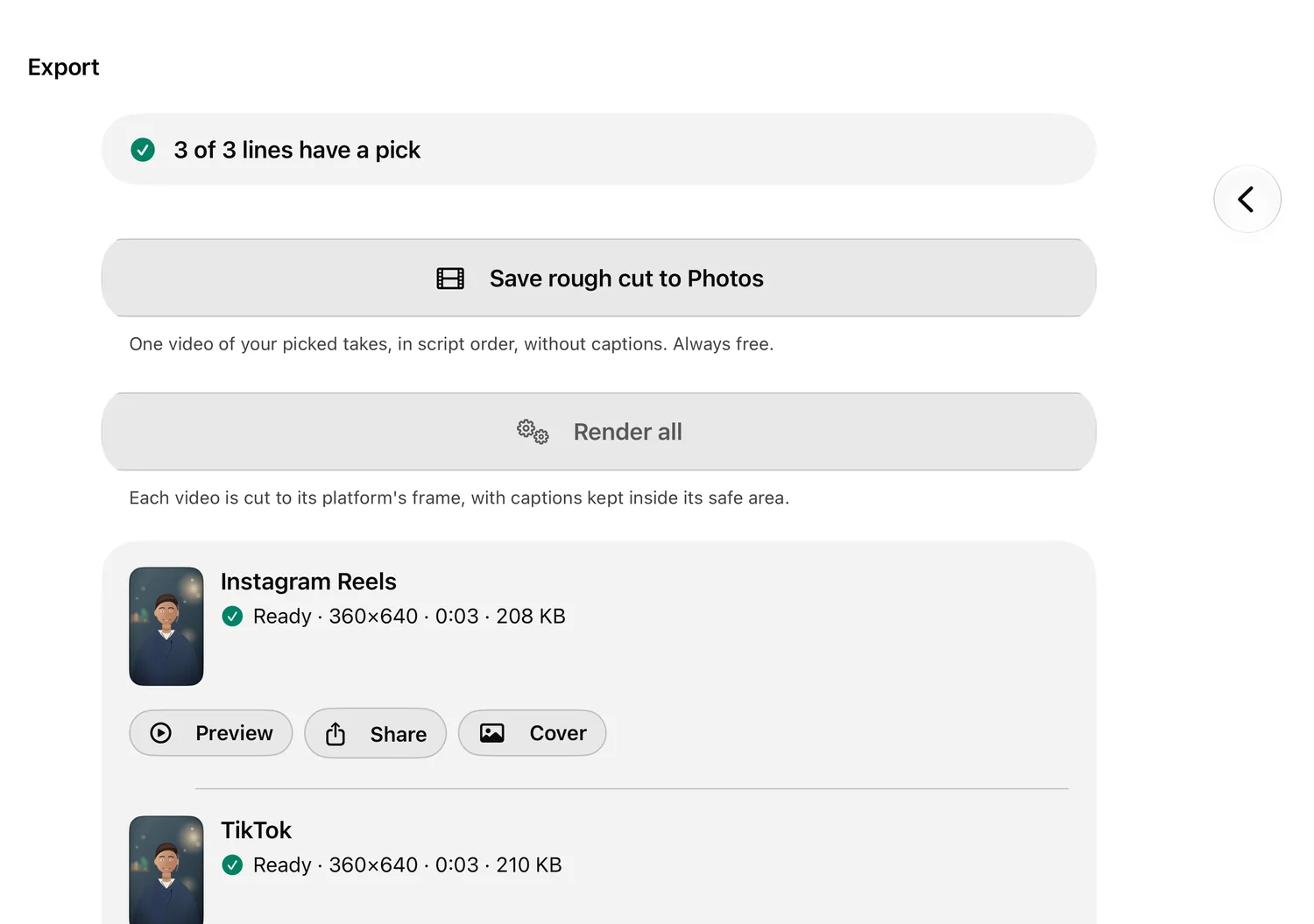
    Export: a captioned video per platform, ready to save or share.

    Export for all

    One captioned video per platform, saved to Photos or shared.
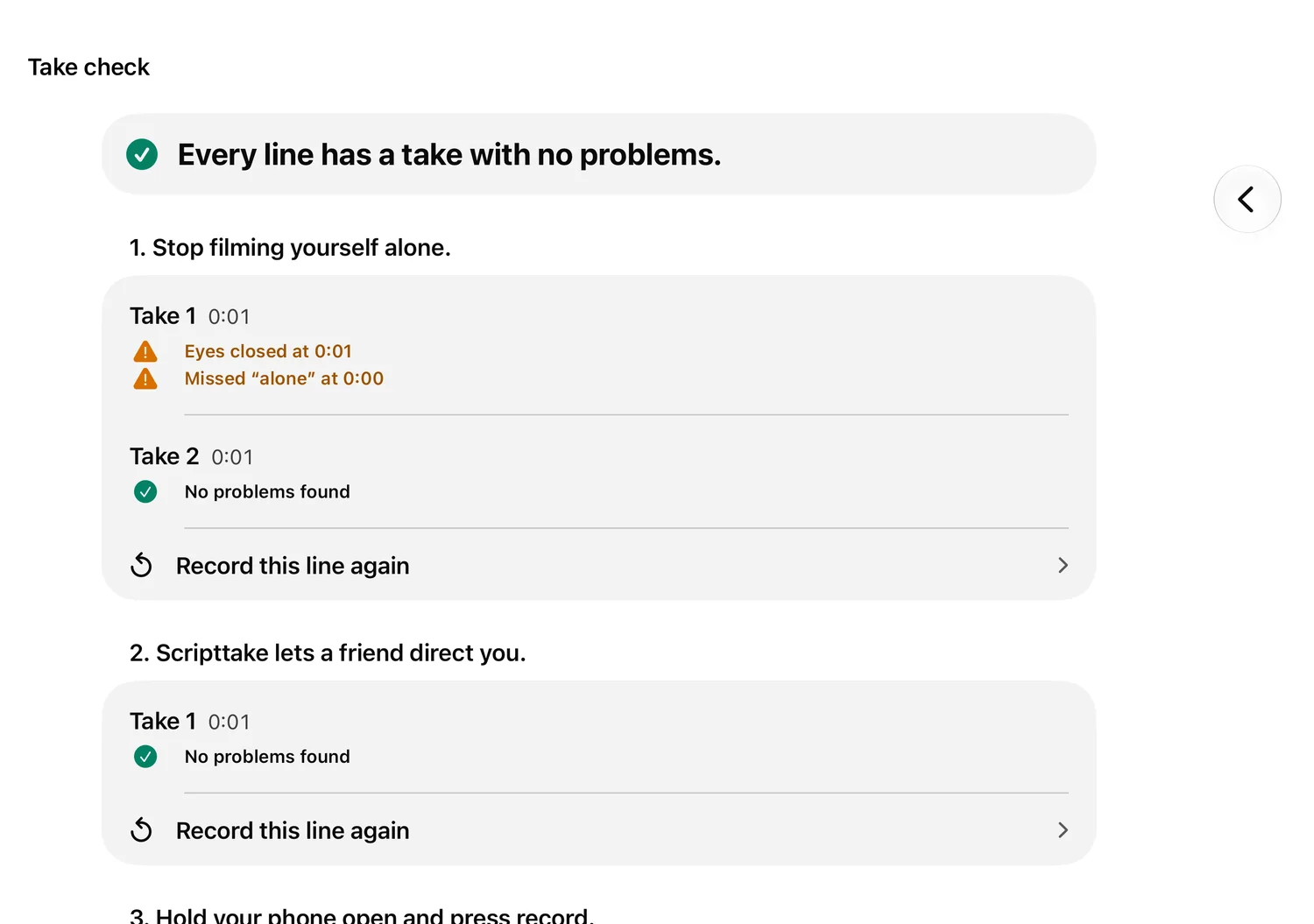
Take check: each take with what was found, such as eyes closed at 0:01 or a missed word, and a button to record the line again.
Take check

Know which lines to redo.

Scripttake watches every take for closed eyes, missed words and a rushed pace, then tells you which lines to shoot again. The person on camera never sees the findings. They get a friendly “Let’s go again” on the outer screen.
Eyes closedMissed wordsPaceFace inside the caption area
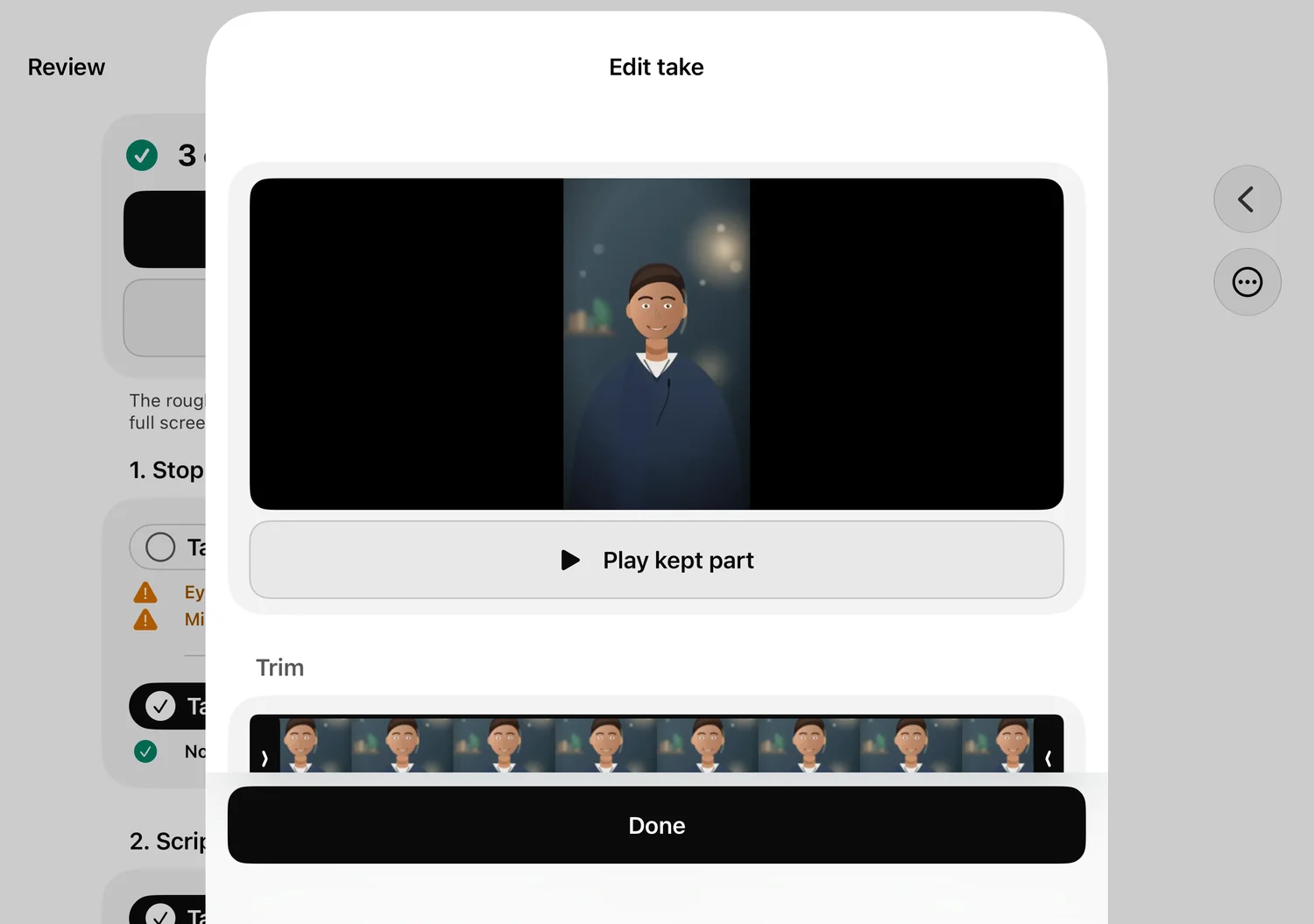
The take editor: a preview, a strip of frames with trim handles, and a Play kept part button.
Trim and captions

Trim it. Fix the captions.

Cut the start and end of any take, then correct a caption word. Everything you change is used in the rough cut and in every export.
Trim both endsEdit captionsPlay the kept part
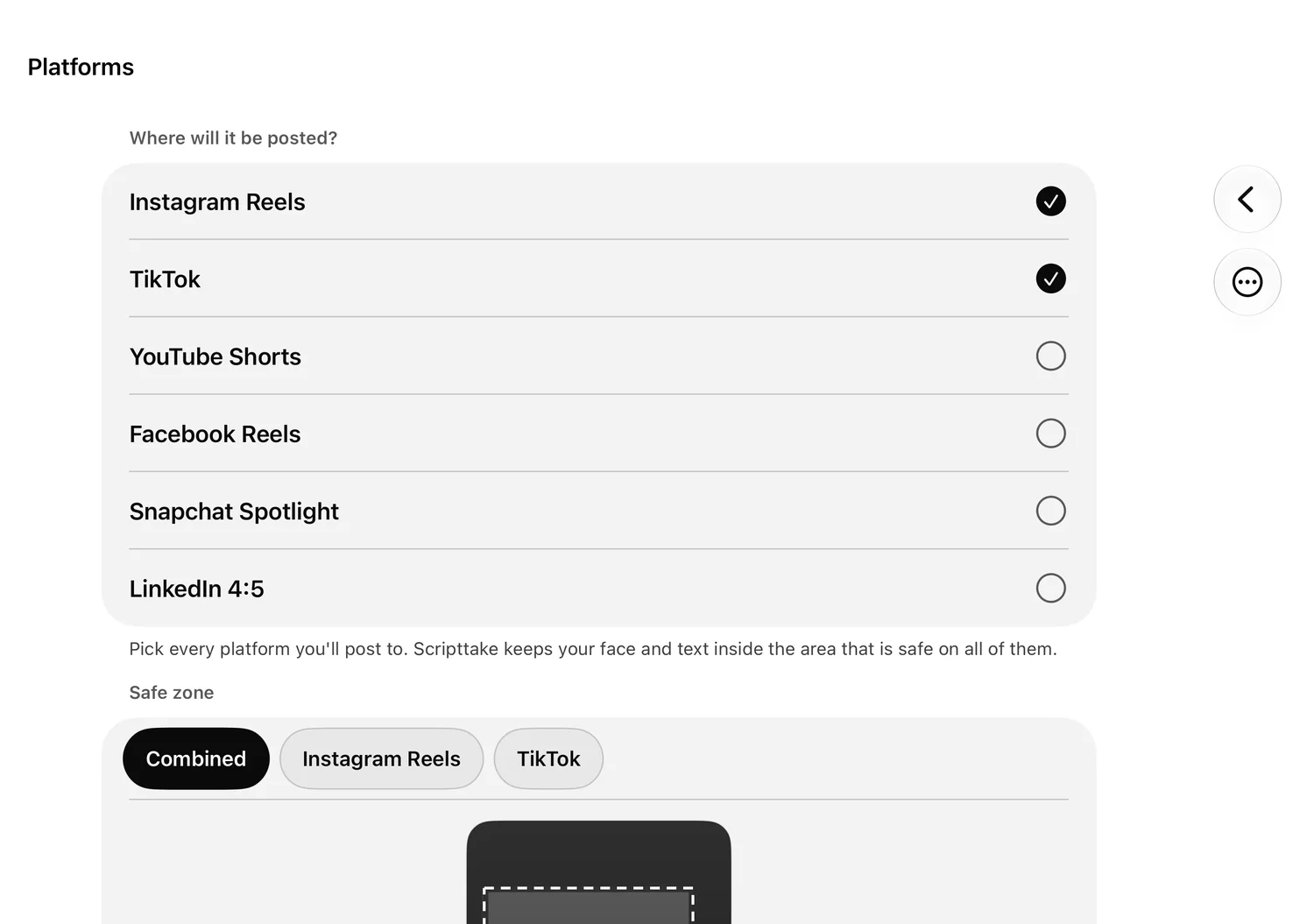
The platform list with Instagram Reels and TikTok selected, and the safe zone below it.
Platforms

Frame for every platform at once.

Pick where it will be posted. Scripttake keeps your face and captions inside the area that is safe on every one of them, and cuts each video to its platform.

Instagram ReelsTikTokYouTube ShortsFacebook ReelsSnapchat SpotlightLinkedIn 4:5

Private by design.

Everything on your iPhone

Your video, your voice and your scripts never leave it. Splitting, checks, speech and export all run on the device.

No account, no tracking

Nothing to sign in to. No ads and no analytics. This website has no cookies either.

Start in a second

A Control Center button, the Action Button, Siri and widgets open a new shoot straight away.

Pricing

Free to shoot. Pro to polish.

Always free

Everything you need to film

  • Scripts, framing and safe-zone guides
  • Recording and the outer-screen cues
  • Solo mode
  • Saving a rough cut to Photos
Scripttake Pro

Everything that saves you time

  • Smart script splitting
  • Automatic take checks
  • Captioned export for every platform

7 days free, then $49.99 a year or $9.99 a month. Or $149.99 once.

Prices are shown in the app, in your own currency, before you buy anything.
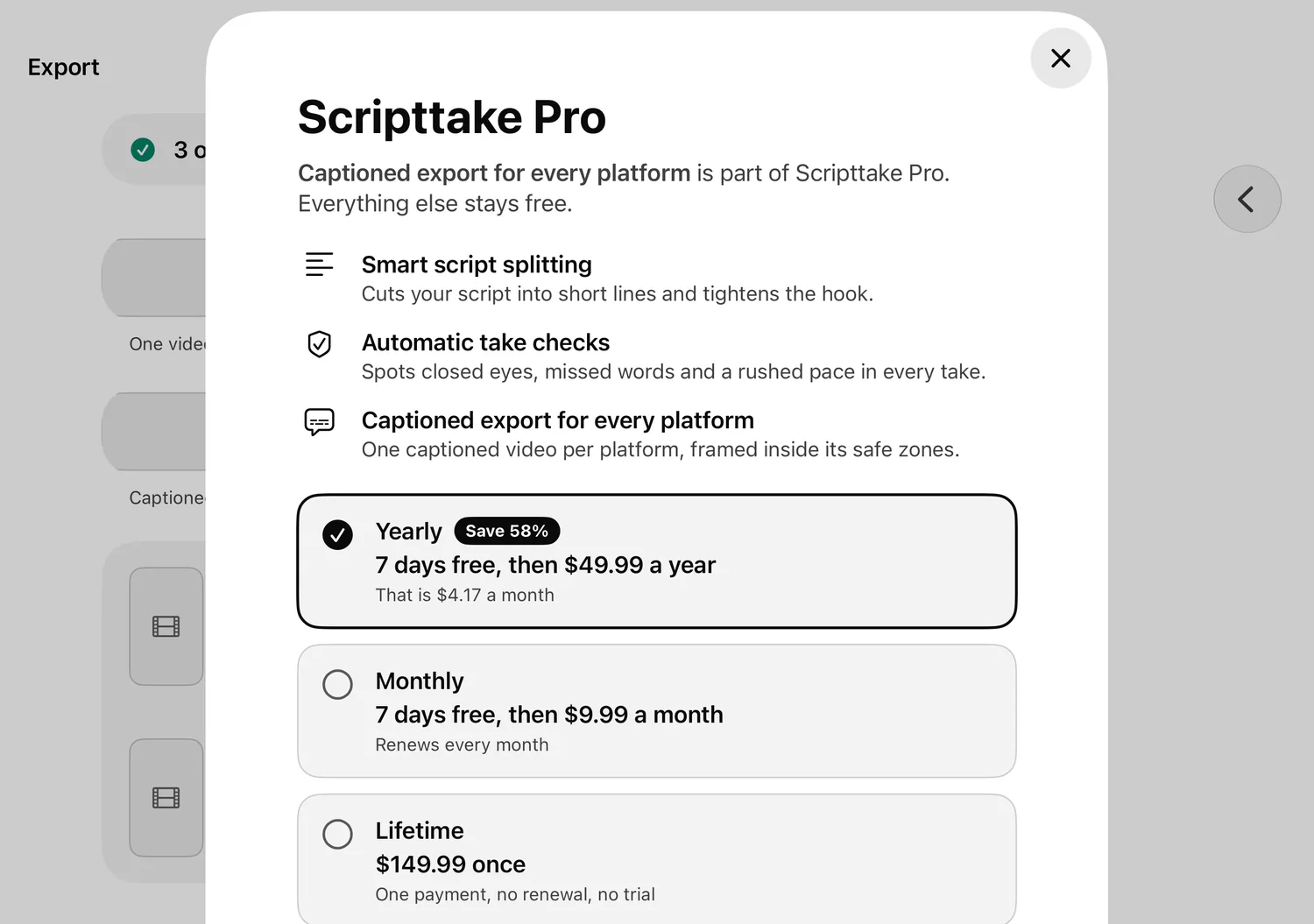
The Scripttake Pro screen over the inner display: three features and the yearly, monthly and lifetime plans.

Good to know

Which iPhone do I need?

The two-screen features need an iPhone Duo on iOS 27.1. On any other iPhone with iOS 27, Scripttake still does scripts, recording, checks and export, without the outer screen.

Do I need an account or the internet?

No account. Everything runs on your iPhone, so it works offline. Scripttake only checks for updated platform safe-zone numbers and talks to the App Store for purchases.

What is free?

Scripts, framing, recording, the outer-screen cues, solo mode and saving a rough cut to Photos are free for good. Smart splitting, take checks and captioned export are Pro.

Which languages?

English and Arabic, including right-to-left layout.

Ready when your Duo is.

Scripttake is coming to the App Store with iPhone Duo.

Coming to the App Store with iPhone Duo